Windows client — «РАССВЕТ»™ АНАЛИТИКА
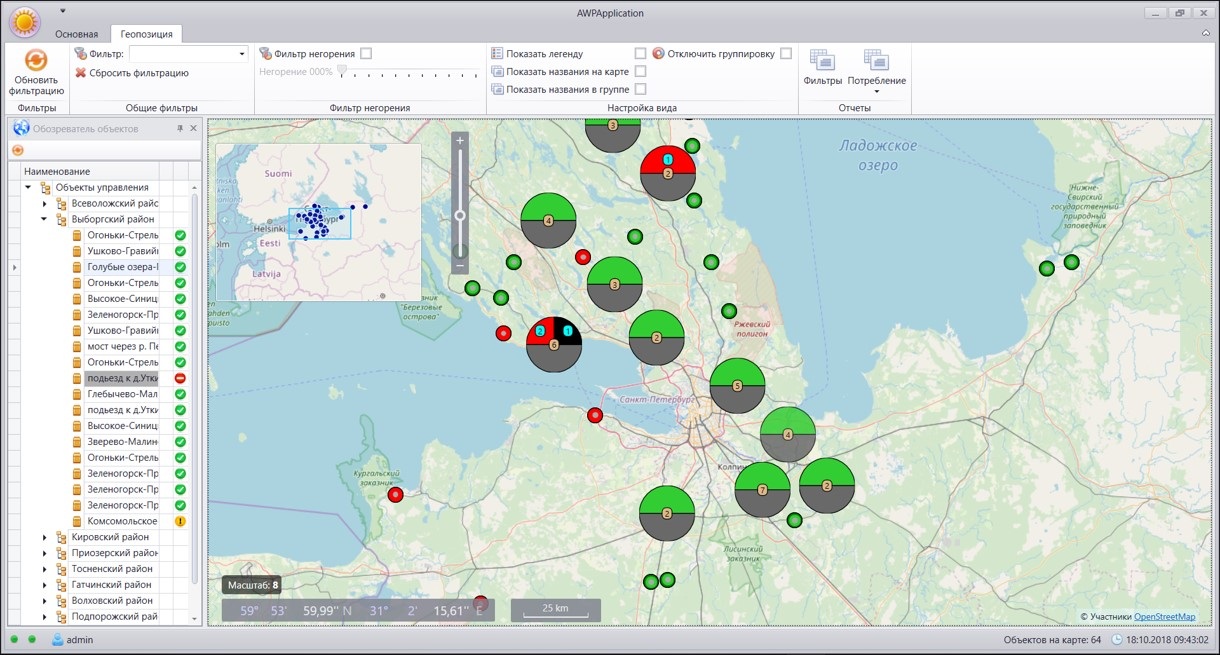
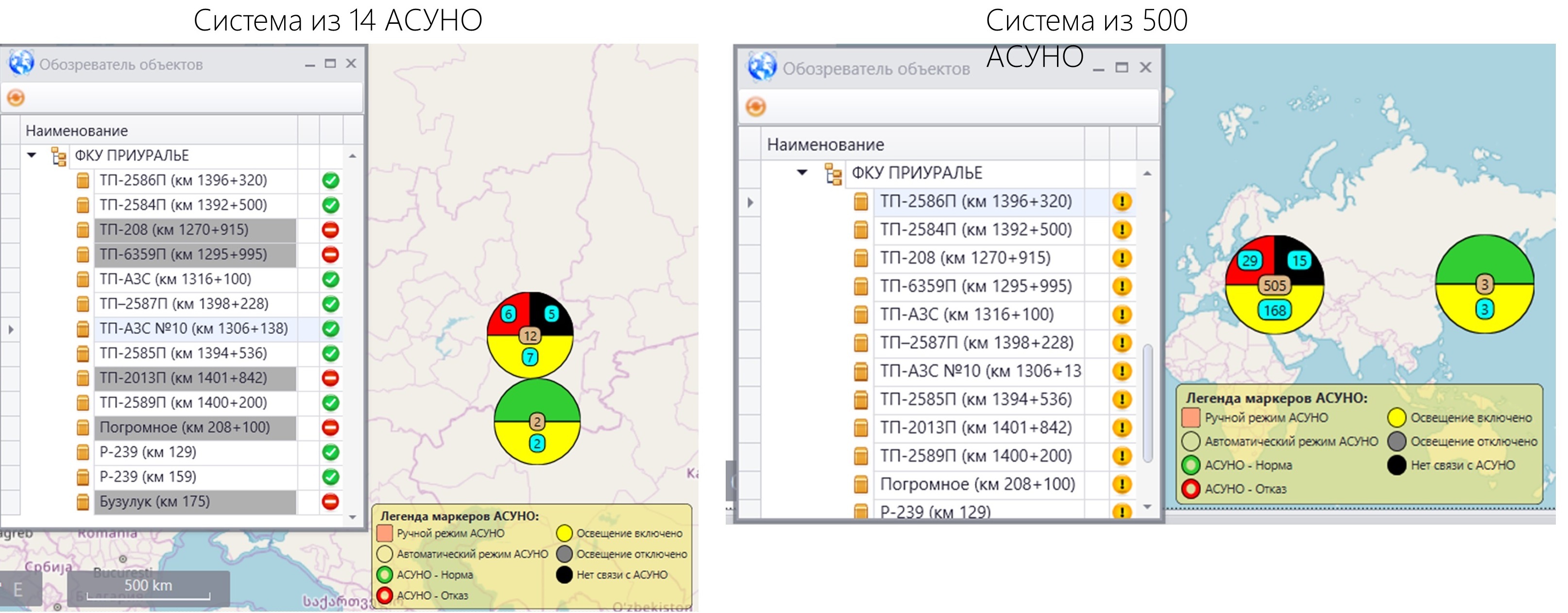
Aggregation of data on GIS – when the map scale changes, when ASUNO is superimposed on each other, they are grouped. Aggregation makes it as easy to process data from a large number of automated control systems as working with one automated control system
Aggregation of data on GIS
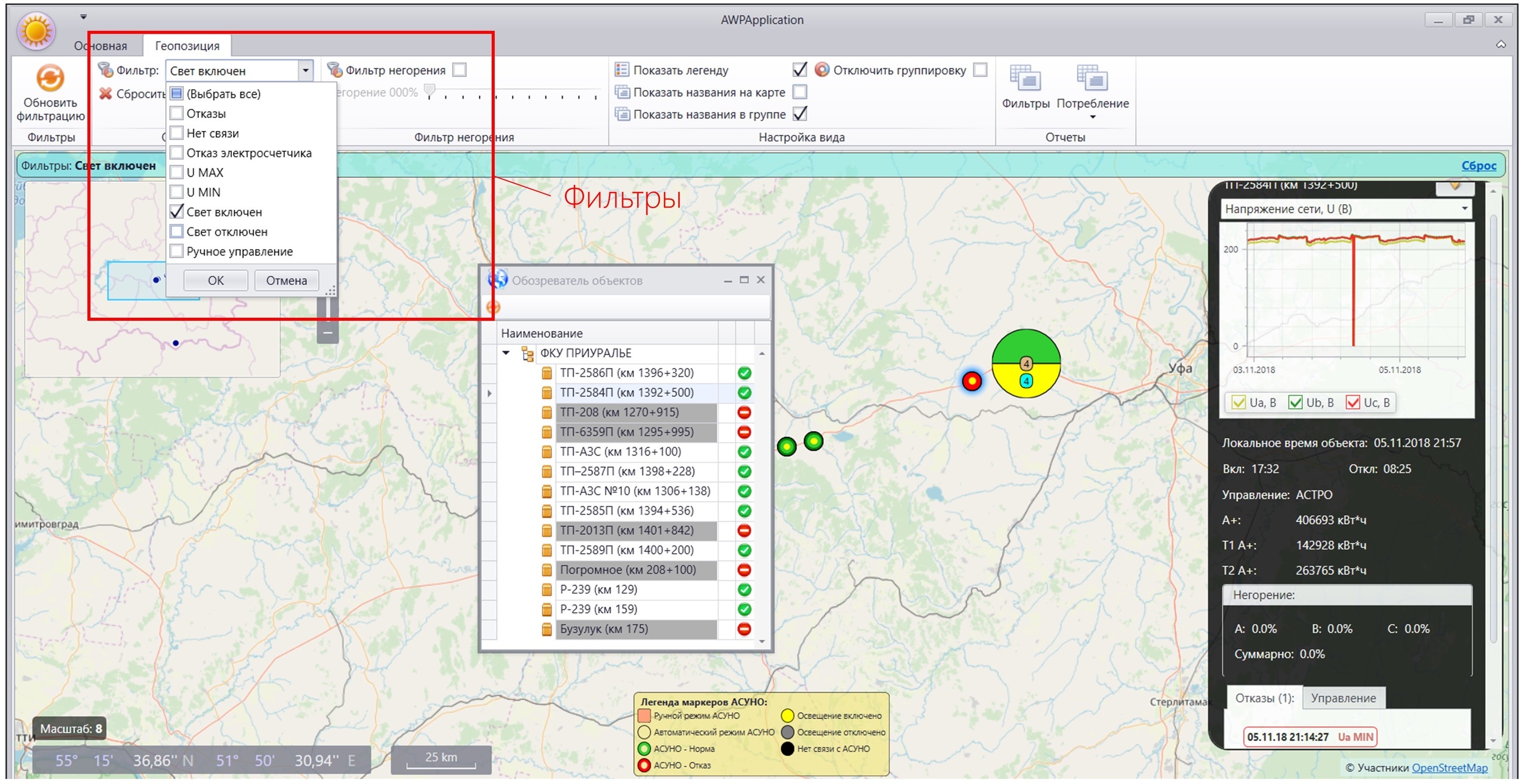
Interactive filters – quick analysis according to specified criteria. Filter actions allow you to select a group of objects that meets the criteria for a GIS. For example, highlight objects whose share of unlit luminaires exceeds 5% or lack power supply... The received data can be easily exported to a text editor or spreadsheet, or a document for sending by e-mail.
Interactive filters
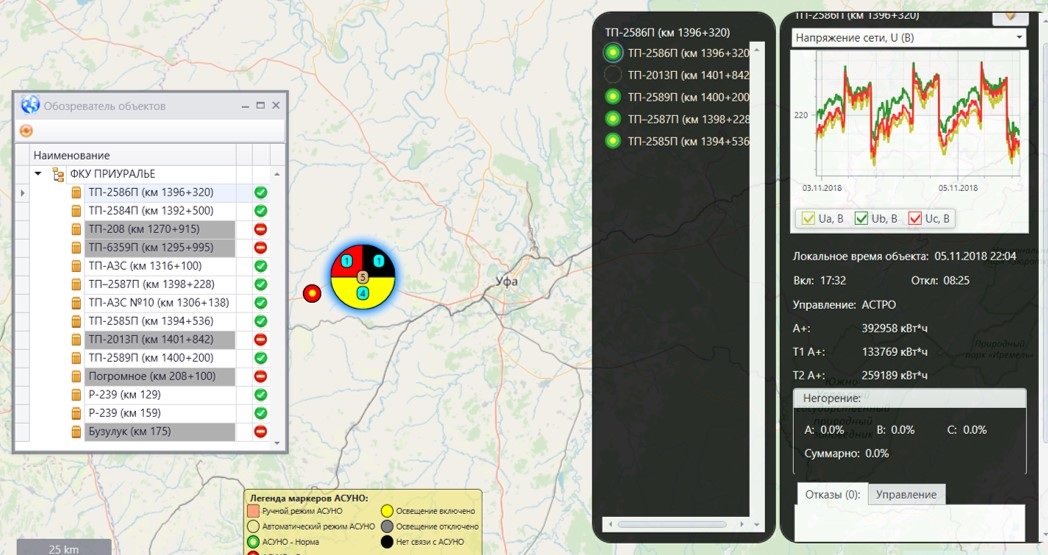
Working with an aggregated group of objects is as simple as working with a single object. Clicking on an aggregated group will open a window listing objects and displaying their states:
Working with an aggregated group of objects
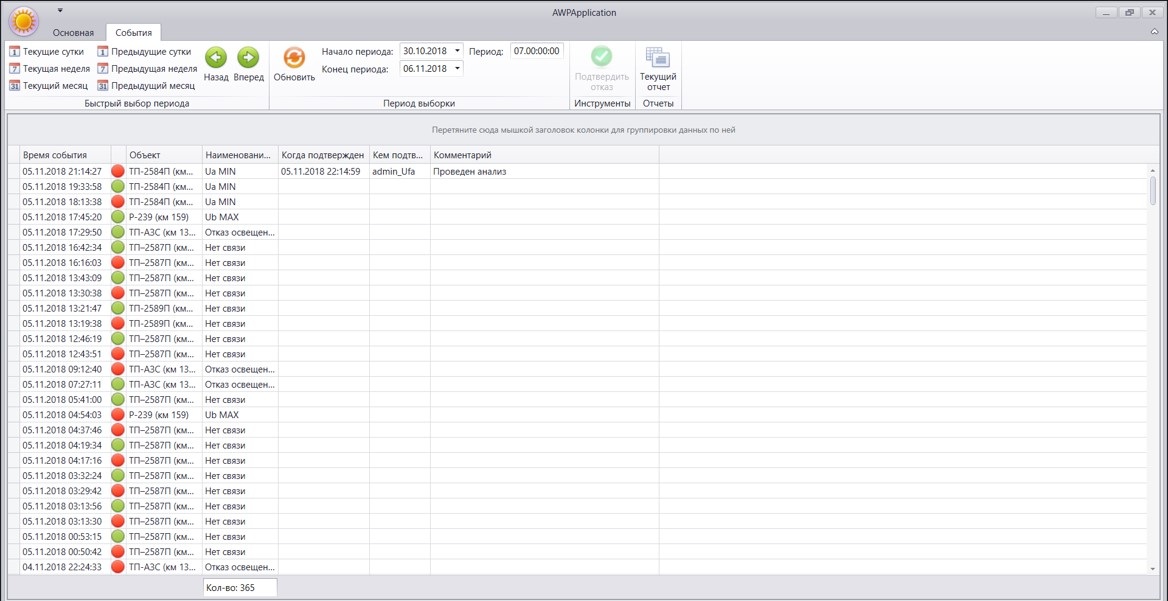
Event Archive – accumulated failure history. The archive shows events over a selected period of time. Red indicates that the opt-out is active. Refusals can be confirmed and commented on by users. Filtering by event, object, status, time is available. The resulting data can be easily exported to a text editor or spreadsheet, or a document for sending by e-mail.
Archive of events
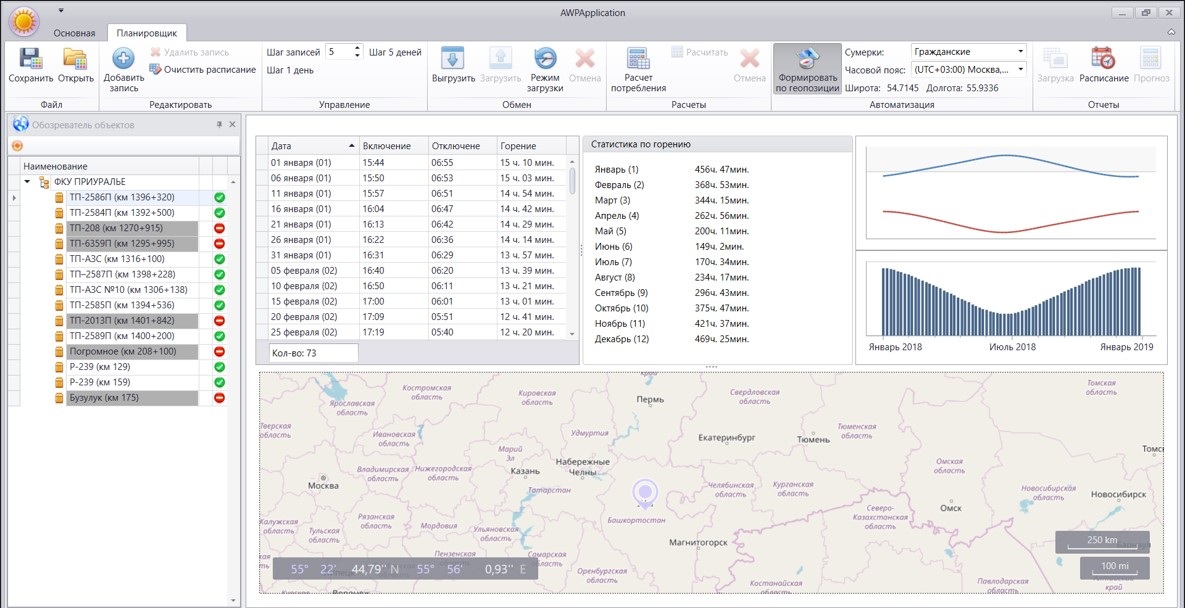
Formation of a lighting control schedule by geolocation. Automatic generation of a graph and its editing, lighting operating-time statistics and electricity consumption. Any number of charts, support for different time zones. Support loading and unloading of graphs
Formation of a lighting control schedule by geolocation
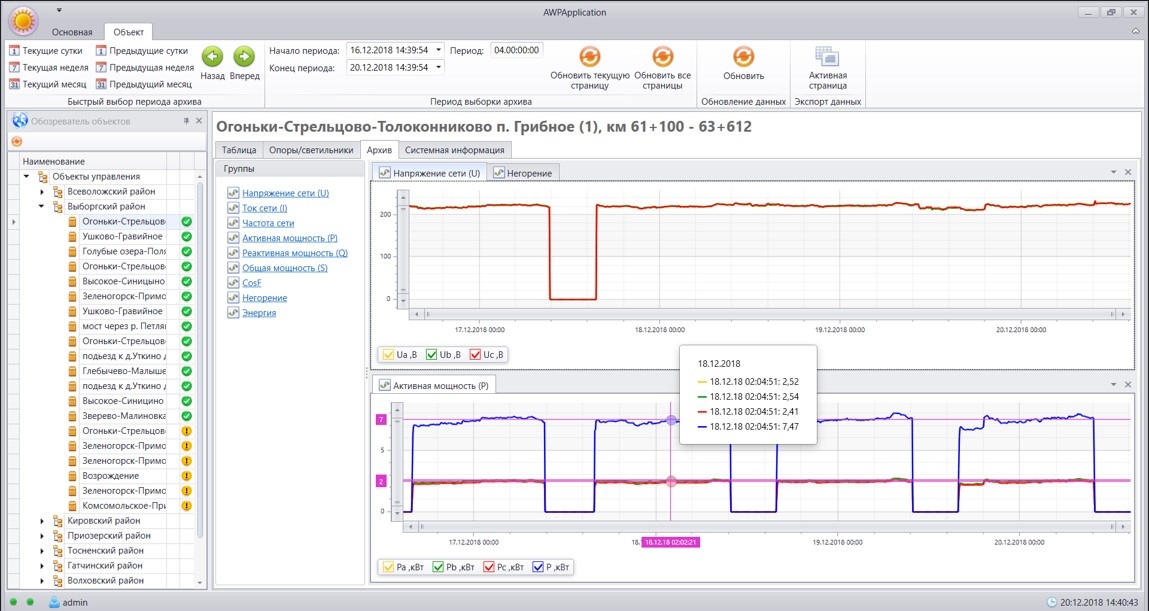
Detailed analysis of each system
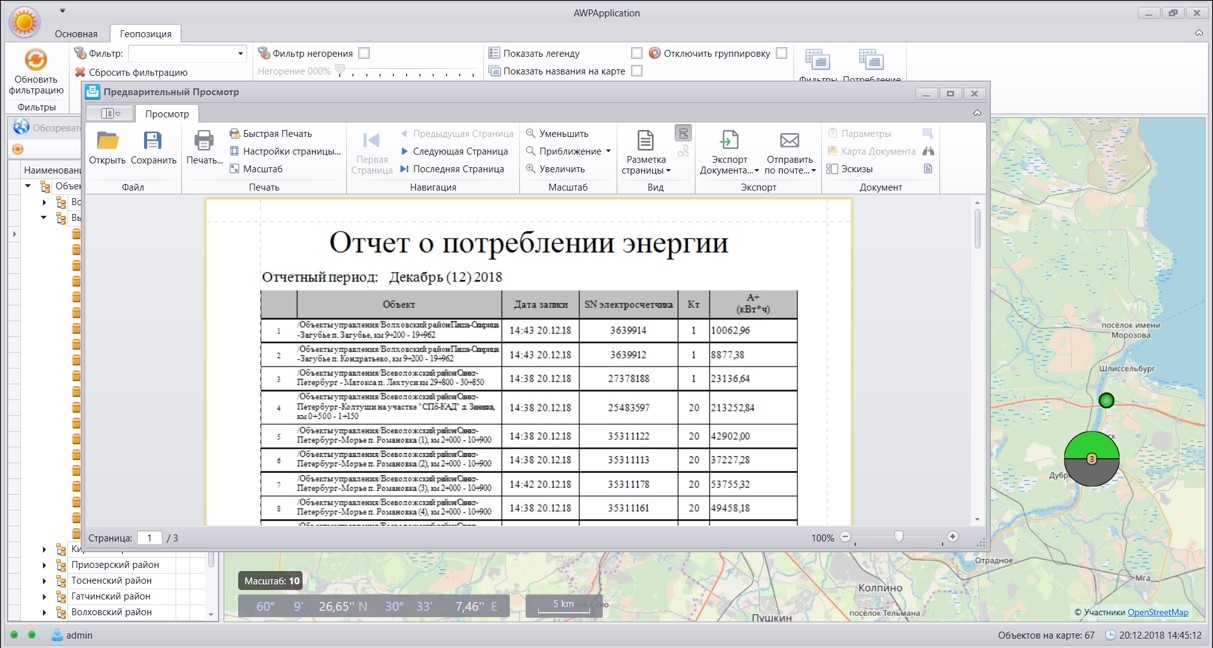
Generation of reports on electricity consumed for a given period
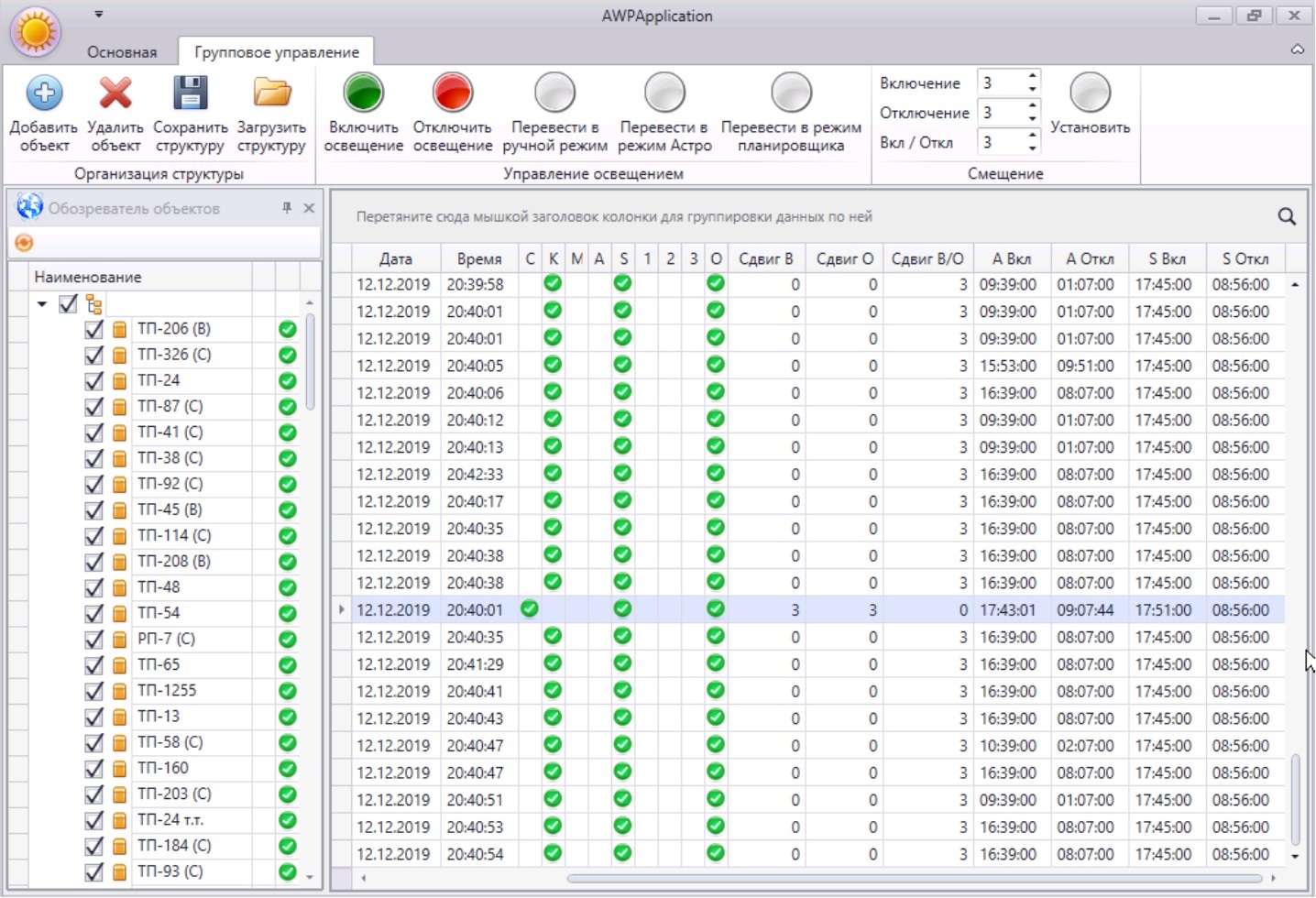
Group commands:
- Saving and loading the selected group of objects as an independent management structure.
- Changing operating hours.
- Turning lighting on/off.
- Setting the on/off shift.
- Monitoring of current parameter values: current date/time, current mode, current shift values, planned time to turn on/off lighting
Group teams
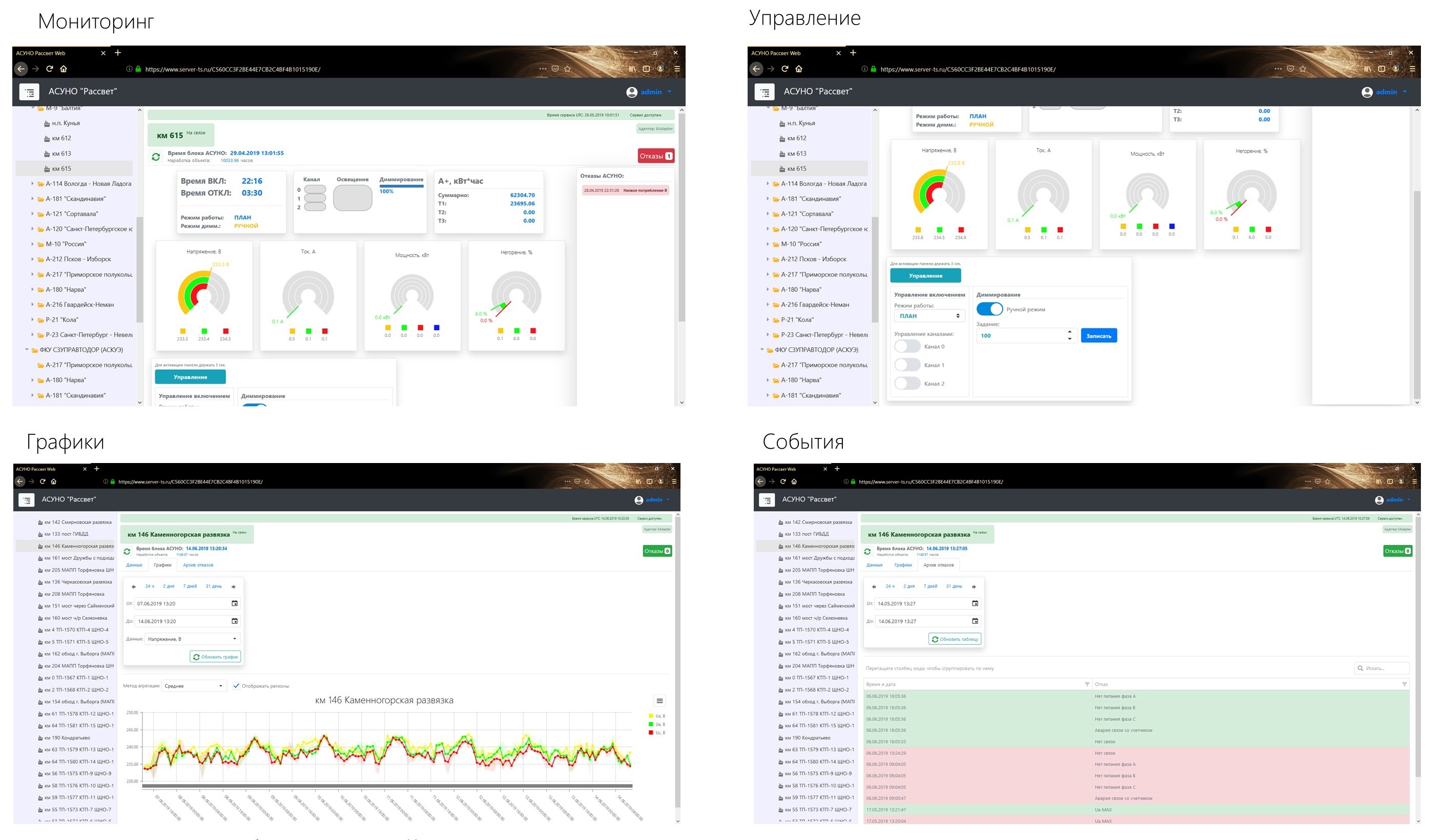
Web client
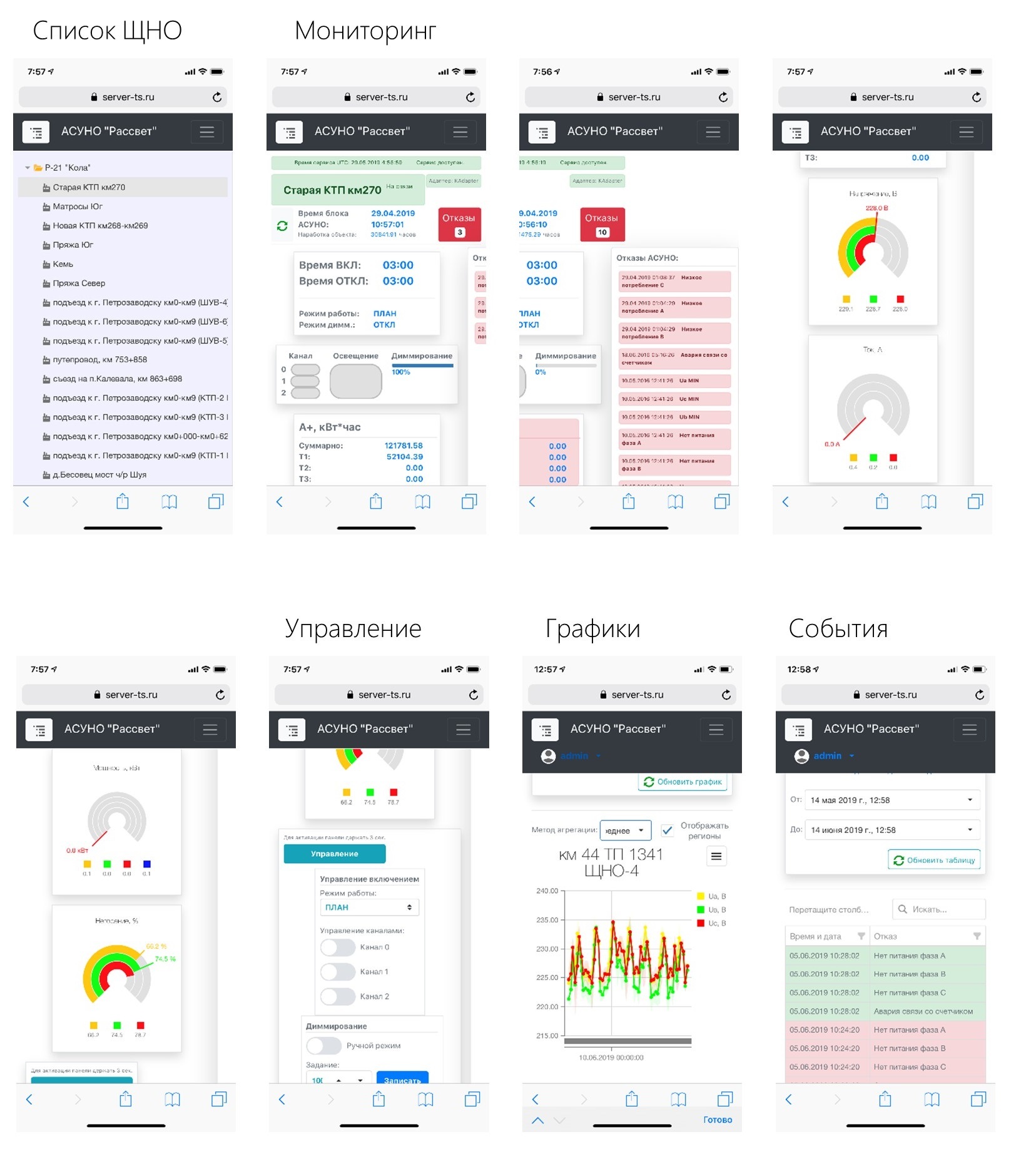
Designed for operational management. Works on computer and mobile devices. Designed for operational control.
Mobile WEB client
Upon request, detailed documentation describing the functions of the system, documentation for projects, and project examples are provided.